14.9 Deleting Comments on Assignments
1. Enter the Assignments section
2. Select the necessary assignment
3. Click View Learner’s Assignment
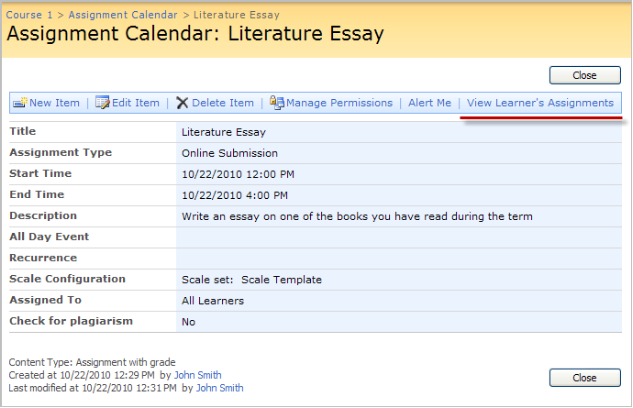
Fig. Assignment Calendar
|
NOTE: |
The View Learner's Assignments link will not appear until a task is generated. |
4. Select View Item from the drop down menu of the necessary assignment
5. Click Version History
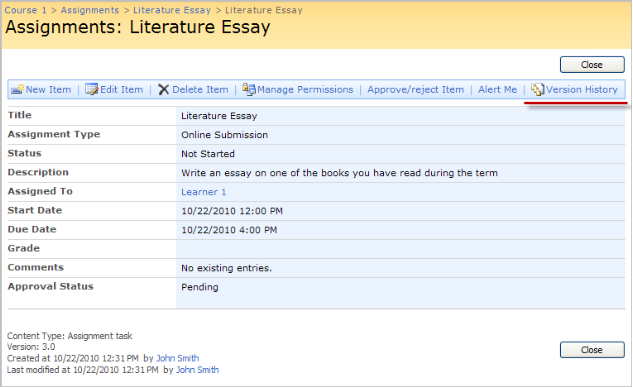
Fig. Version History
6. Select Delete from the drop down menu next to the necessary item
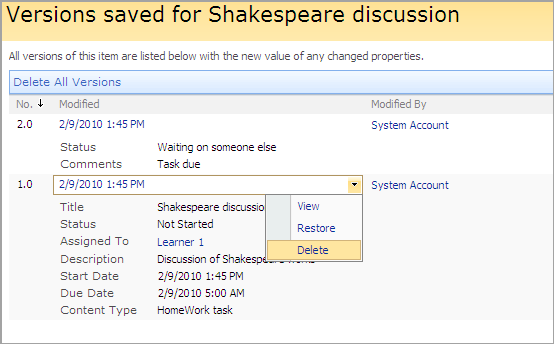
Fig. Deleting Comments