The option allows joining groups of a certain course.
To join a group,
1. Click the Courses link on the organization level. A list of courses will appear
2. Find a course you would like to join and select Join from the drop down menu of the course
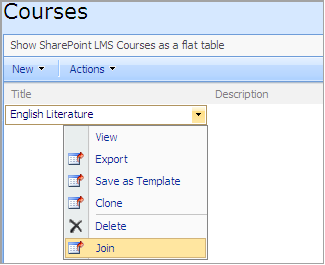
Fig. Joining a Course
3. Find a group you want to join and click the Join link next to it

Fig. Joining a Group
|
NOTE: |
For course groups to appear on the Join Course page, follow the instructions provided in paragraph Joining a Course Group.
|